忘記密碼(Forgot Password)
-
若使用者忘記登入密碼,可透過以下方式進行重設。
-
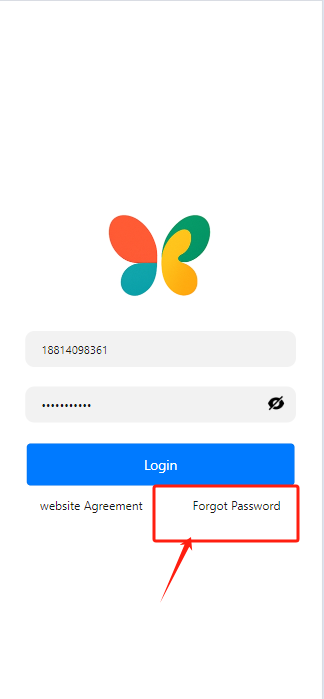
在登入頁面,
點擊[Forgot Password(忘記密碼)].
- 填寫系統要求的使用者表單資訊(手機號碼或電子郵件), 點擊 [get code(取得驗證碼)],若透過手機號碼重設,系統會發送 SMS 驗證碼;若透過電子郵件重設,請檢查垃圾郵件匣,以免郵件被過濾。
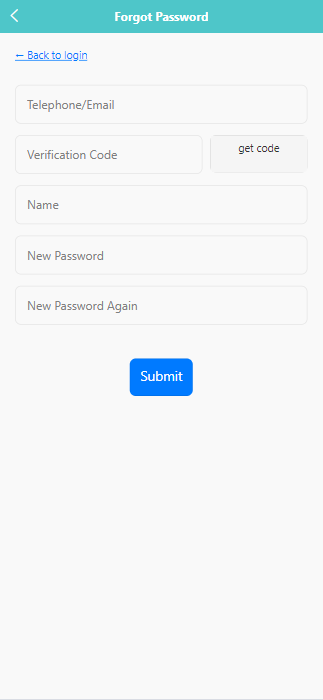
- 點擊 [Submit] 提交,完成密碼重設。
Press ← or → to navigate between chapters
Press S or / to search in the book
Press ? to show this help
Press Esc to hide this help
若使用者忘記登入密碼,可透過以下方式進行重設。
在登入頁面,點擊 [Forgot Password(忘記密碼)].