登入 WordPress 管理後台
1. 開啟登入頁面
請在瀏覽器輸入以下網址:
https://yourdomain.preschools.top/wp-admin
📌 請把 yourdomain 更改為你實際使用的子網域(例如:sunshine.preschools.top)
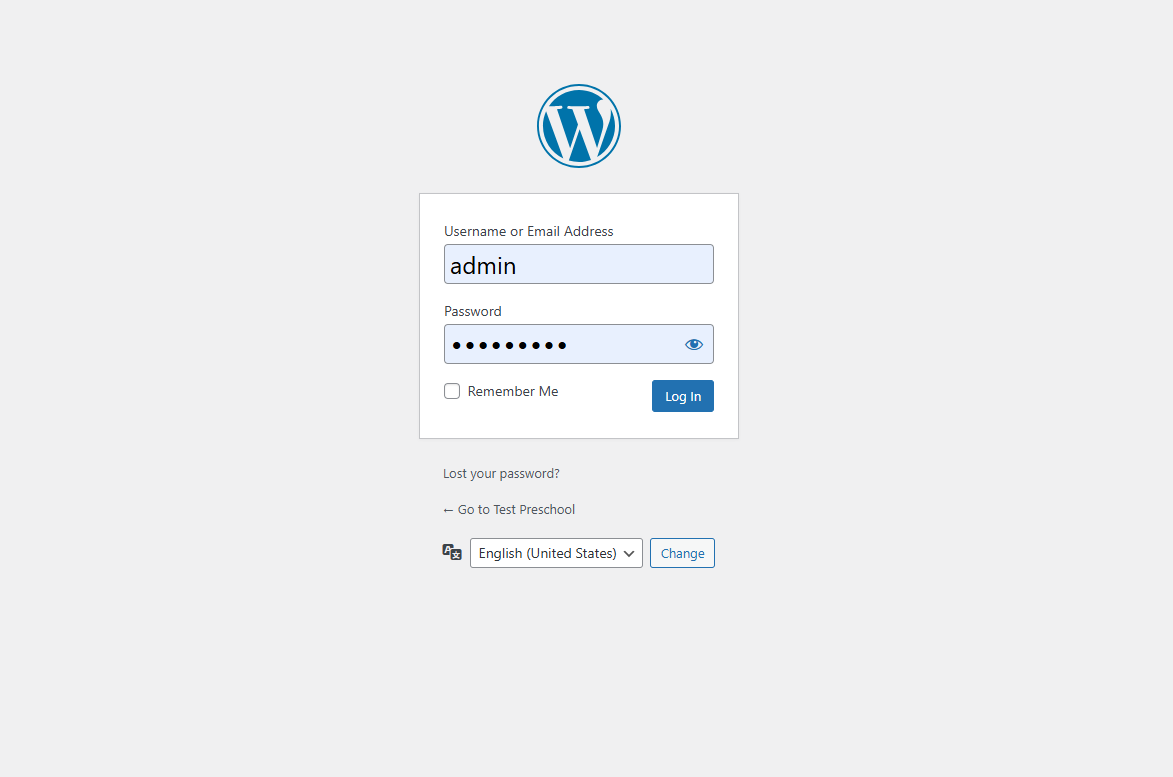
2. 輸入登入資料
- 請在 使用者名稱或電郵地址 輸入你的登入帳戶;
- 請在 密碼 請輸入獲派發的登入密碼;
- (可選)勾選 記住我 以便於裝置保持登入狀態;
- 然後點擊藍色 [登入] 按鈕。
📷 Screenshot:
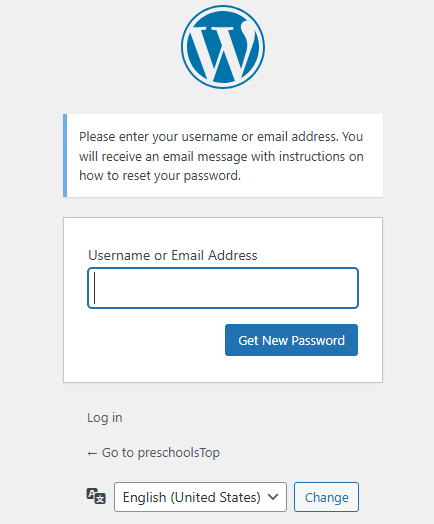
3. 忘記密碼?
如需重設密碼,請點擊 “忘記密碼?” 並依照指示操作。 系統將向你註冊電郵發送一封重設密碼連結。
4. 語言選擇
如有需要,可於登入介面底部下拉選單更改登入介面語言。
✅ 成功登入
登入後你將自動進入 WordPress 控制台(Dashboard),你可以在此進行:
- 建立或編輯網站頁面;
- 使用 Elementor 自訂網站設計;
- 管理文章、選單、媒體等內容。